

Insurance Documents
Onsite includes a system for managing contractor compliance & insurance documents
- Workers Compensation
- Public Liability
- Professional Indemnity
- Licenses
Uploading Documents
The upload insurance documents to a contractor
- View Contractor page
- Ensure contractor has a valid ABN or NZBN
- In the License and Insurance section, click
Add - Click to upload, or drag and drop relevant file
Our systems will analyse the uploaded document and extract key information
Once verified, click Upload
Global Compliance Database
Onsite centralised the management of these documents across all customers. In many cases, we may already have the relevant documents on file when you add a contractor to a site.
Expiry Notifications
Ahead of a document expiry, Onsite will send an automated email to the contractor requesting updated documents.
In many cases, the contractor will not receive their updated documentation until shortly before expiry. As such, our request is sent approximately 3 days ahead of expiry to optimise for contractor self upload.
Manager Notifications
If the contractor does not supply the relevant documentation within a reasonable timeframe, our system will then send a notification to the site contact. Users should expect these a few days after the compliance expiry.
Timeline
See our timeline guidance for notifications below. Note exact timing is not guaranteed.
We continue to optimise timing of notifications.
3 Days before expiry
Contractor will receive email notification with link to direct upload
Day of expiry
Contractor will receive followup reminder if they are yet to upload
3 days after expiry
Building manager will receive email notification.
Compliance Emails
Emails to contractor will be sent from Onsite and branded as such.
You are unable to customise the appearance of these emails.
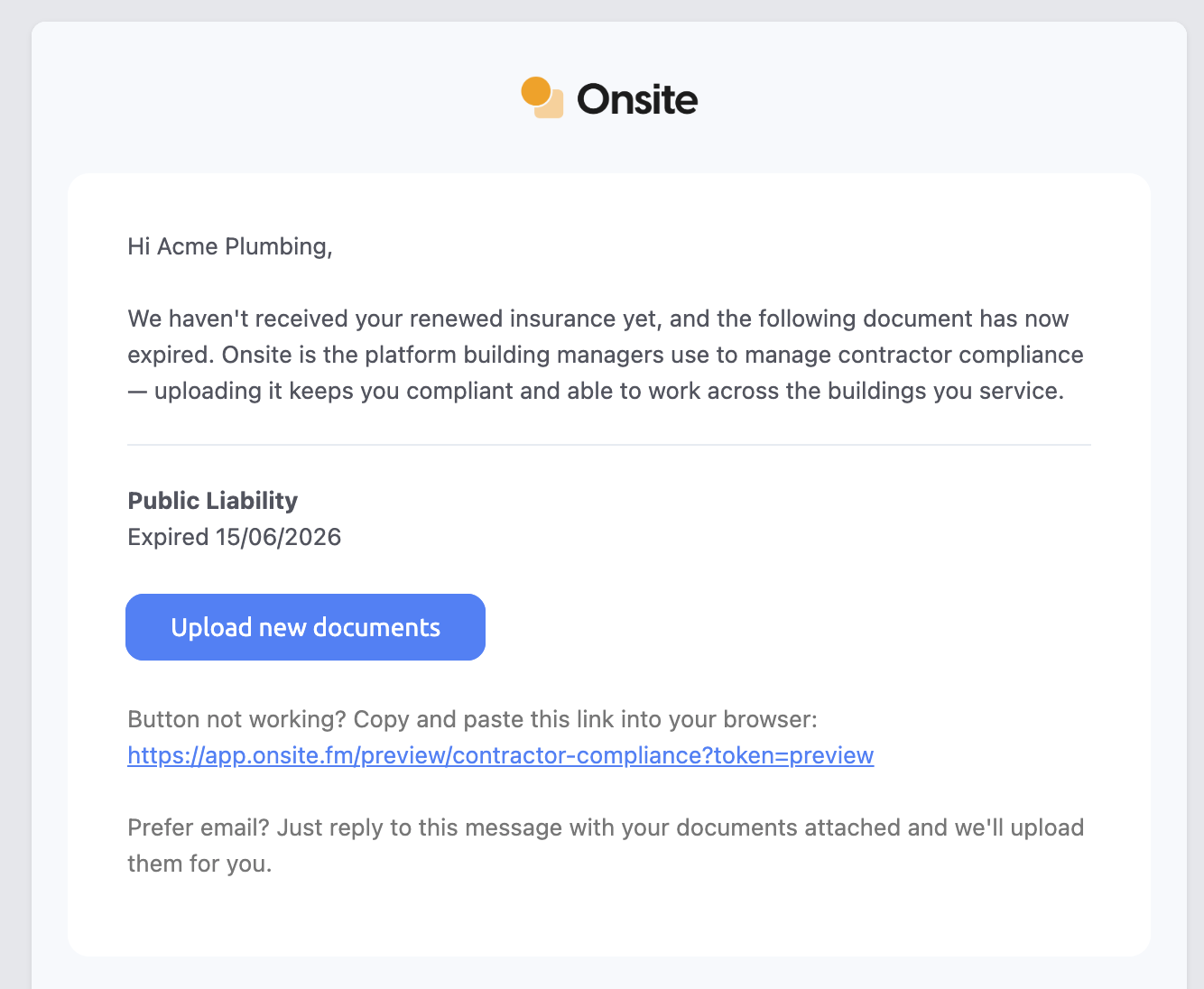
Example Compliance Email