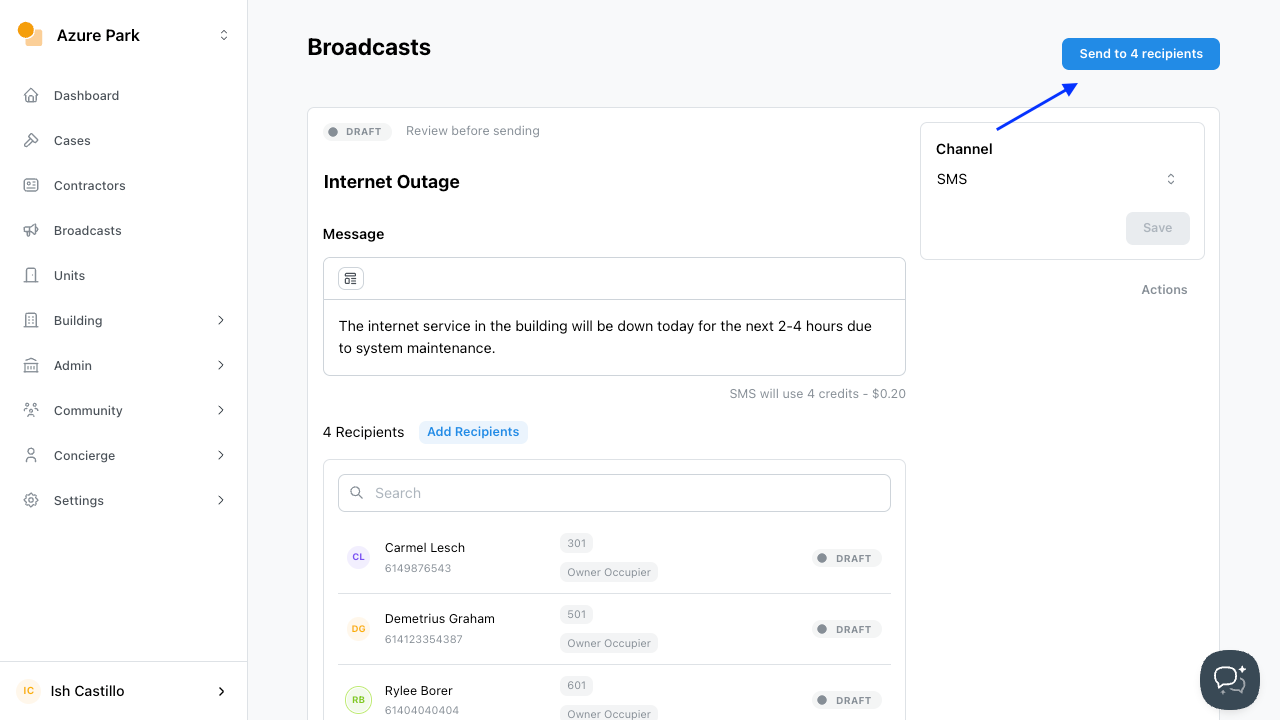

Sending a Text Message
To send a text message (SMS) broadcast to residents using Onsite, follow these steps:
CREATING THE SMS
- Navigate to the
Broadcastsection in the sidebar - Click
Addto create a new broadcast. - Under Audience, configure where the message will be sent.
- Enter a short title in the Subject field.
- Select
Switch to SMSat the bottom of the dialog box - Click
Next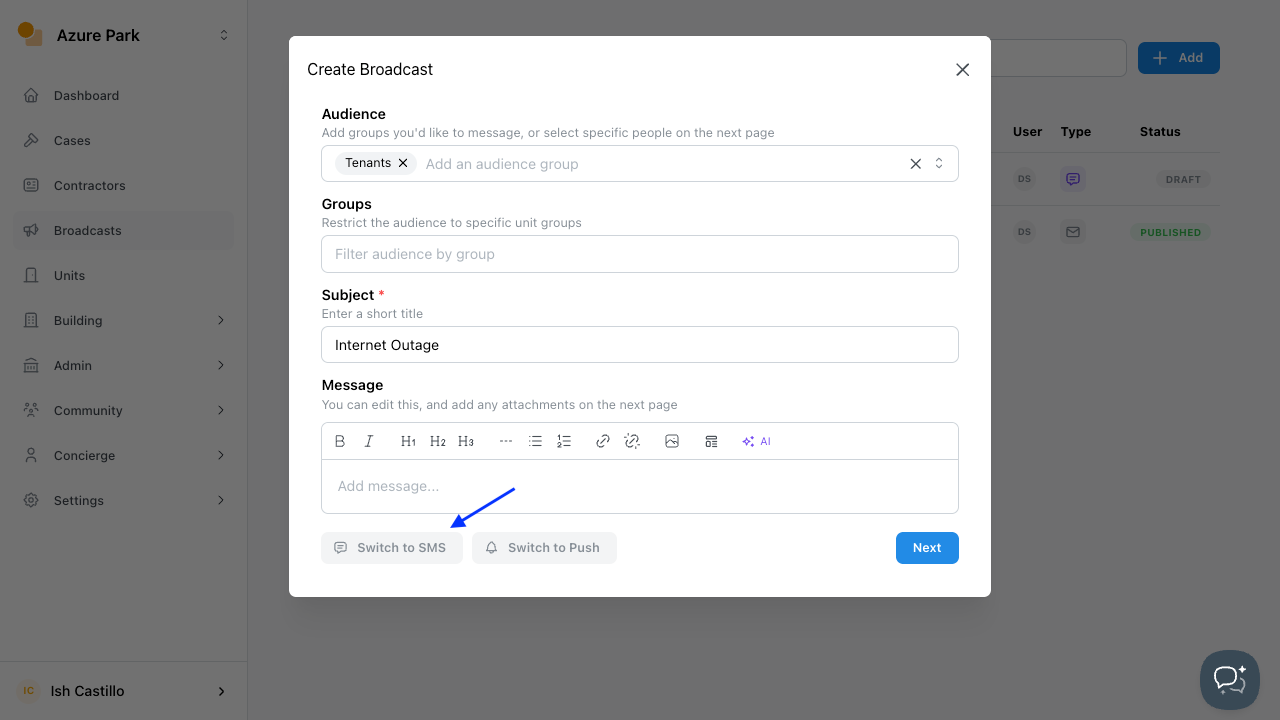
SENDING THE SMS
- Add the Message to be sent through SMS
- Add or remove recipients as needed
- If you have provided any updates click
Save - Click
Send to Recipient/s - IMPORTANT NOTE:
- ENSURE SUFFICIENT SMS CREDITS
- Navigate to
Settingsthen selectBilling - Check
Add Onsto ensure there are enough SMS credits - Top up if needed (See Topping Up SMS Credit for guidelines)