

Help keep your team safe when they work alone.
From fire stairs and plant rooms to the next site across town. Safety check-ins and alerts help you look out for your people throughout their shift.
An injury can make it hard to ask for help.
Experiences shared by building managers helped shape this feature.
A slip in a grease arrestor room.
A worker broke his leg and had to drag himself to mobile reception to call for help.
An eye injury. Unable to see.
An aerosol discharged into a building manager’s eyes. He struggled to a nearby building for assistance and needed hospital treatment.
A fall on the stairs.
Another experience shared by a building manager: falling down a set of stairs at work.
Missed check-ins can still raise an alert when a worker’s phone is offline. Sending a check-in or Panic alert needs a connection.
One shift.
Across the working day.
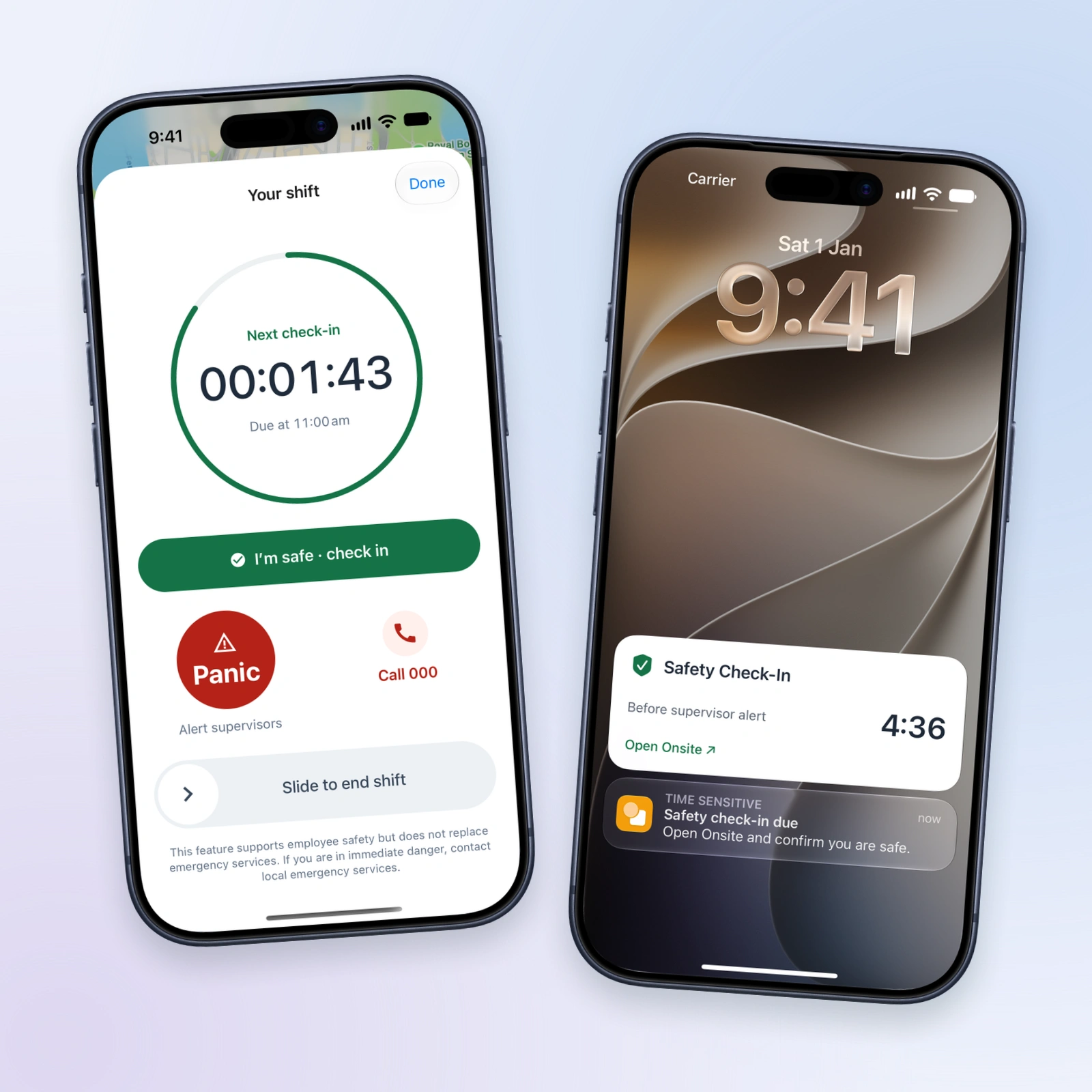
Start a shift once. Your assigned safety policy continues through site visits and travel between buildings.
Check in with a tap. A lock-screen reminder shows when it’s due and how long remains before a supervisor alert.
Raise an alert with Panic.
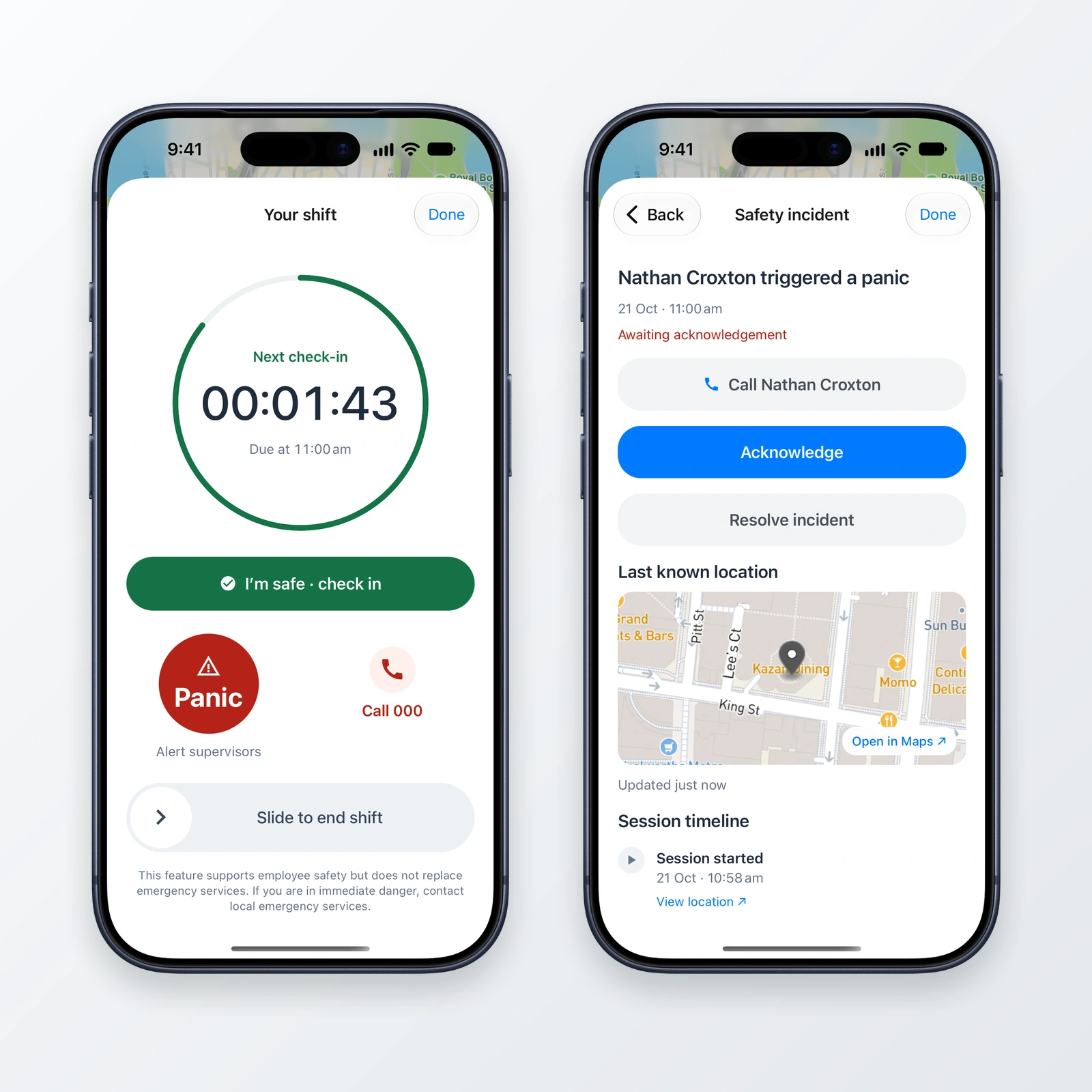
Tap Panic to alert supervisors without waiting for the grace period. A five-second countdown gives you time to cancel.
Panic does not contact emergency services. In immediate danger, contact local emergency services.
Give supervisors
a clear place to start.
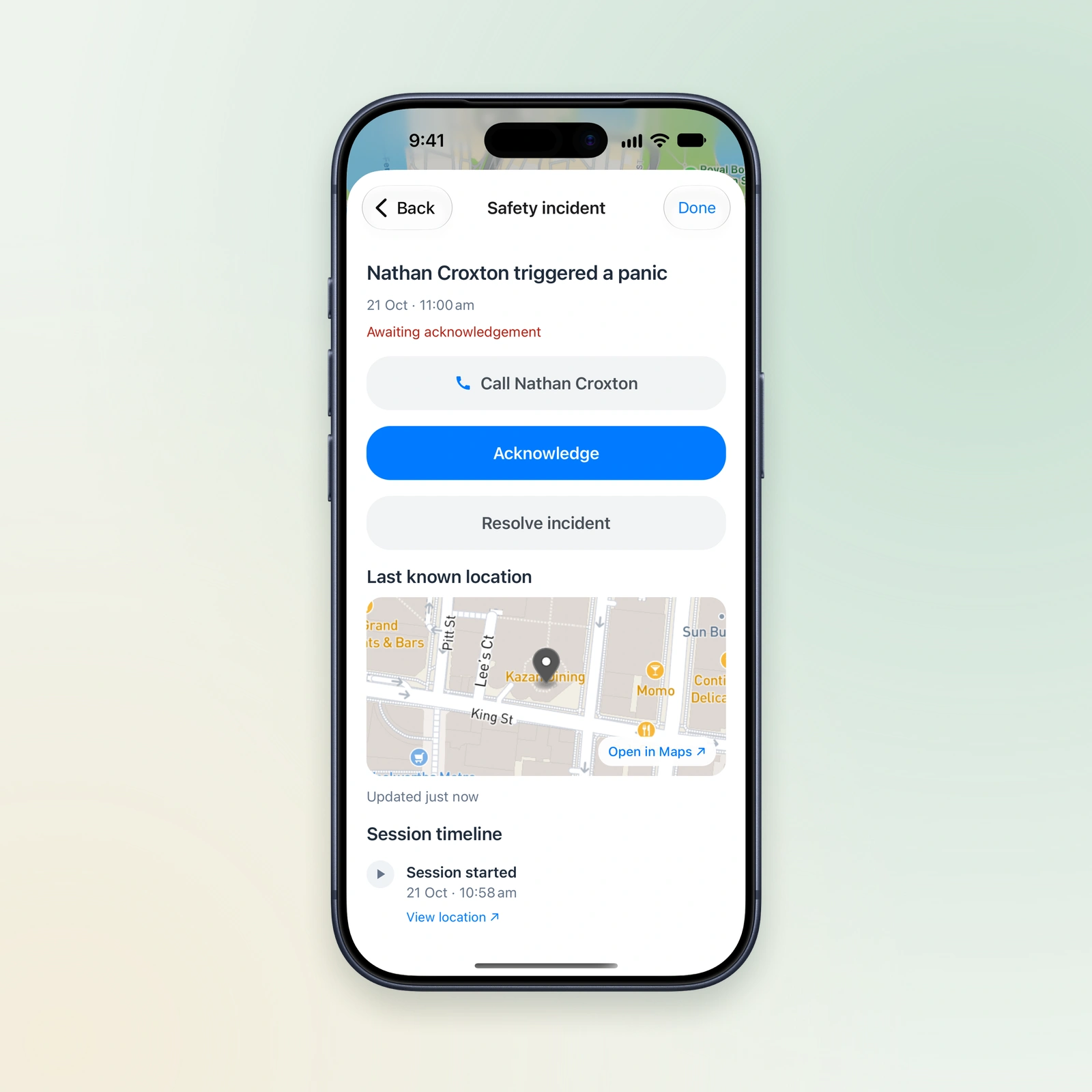
Open a safety incident in Onsite and get the details to follow up.
- Call the worker directly.
- Check their last recorded location and shift timeline.
- Acknowledge the alert, then resolve the incident after following up.
Set the routine.
Choose who responds.
Choose the check-in interval, grace period and supervisors for each worker. Their policy applies when they start a shift.
Example: roaming building team
-
2 hours
Check-in due
The worker gets a reminder to confirm they’re safe.
-
10 minutes
Grace period
Time to respond before a missed-check-in alert is raised.
-
Push alert
Supervisors notified
If there’s still no check-in, the nominated group is alerted to follow up.
Illustrative policy. Timings and alert channels are configurable.
A few practical questions.
Does this automatically detect a fall?
No. Onsite uses scheduled check-ins, missed-check-in alerts and a manual Panic button. It does not automatically detect a slip or fall.
What happens without phone reception?
Server monitoring continues until a check-in is received, so a missed-check-in alert can be raised while the worker’s phone is offline. A scheduled phone reminder can still display, subject to device settings. Sending a check-in or Panic alert requires a connection.
Is the location live?
Supervisors see the last recorded location and when it was captured. Location updates depend on permissions, connectivity and device conditions. A location update does not count as a safety check-in.
Can we use different policies across the team?
Yes. Assign each worker a policy with the relevant check-in interval, grace period, supervisor group and alert channels. Push alerts are the default; SMS can be added where configured. Policy changes apply to future shifts.
What if nobody acknowledges an alert?
The current setup sends one reminder after 10 minutes if nobody acknowledges. Acknowledgement stops that reminder. Your team remains responsible for following up and responding.
See lone worker safety in action.
Walk through a check-in, supervisor alert and response in an Onsite demo.