

Blocking Out Availability
1 min read Updated
Blocking Out Availability
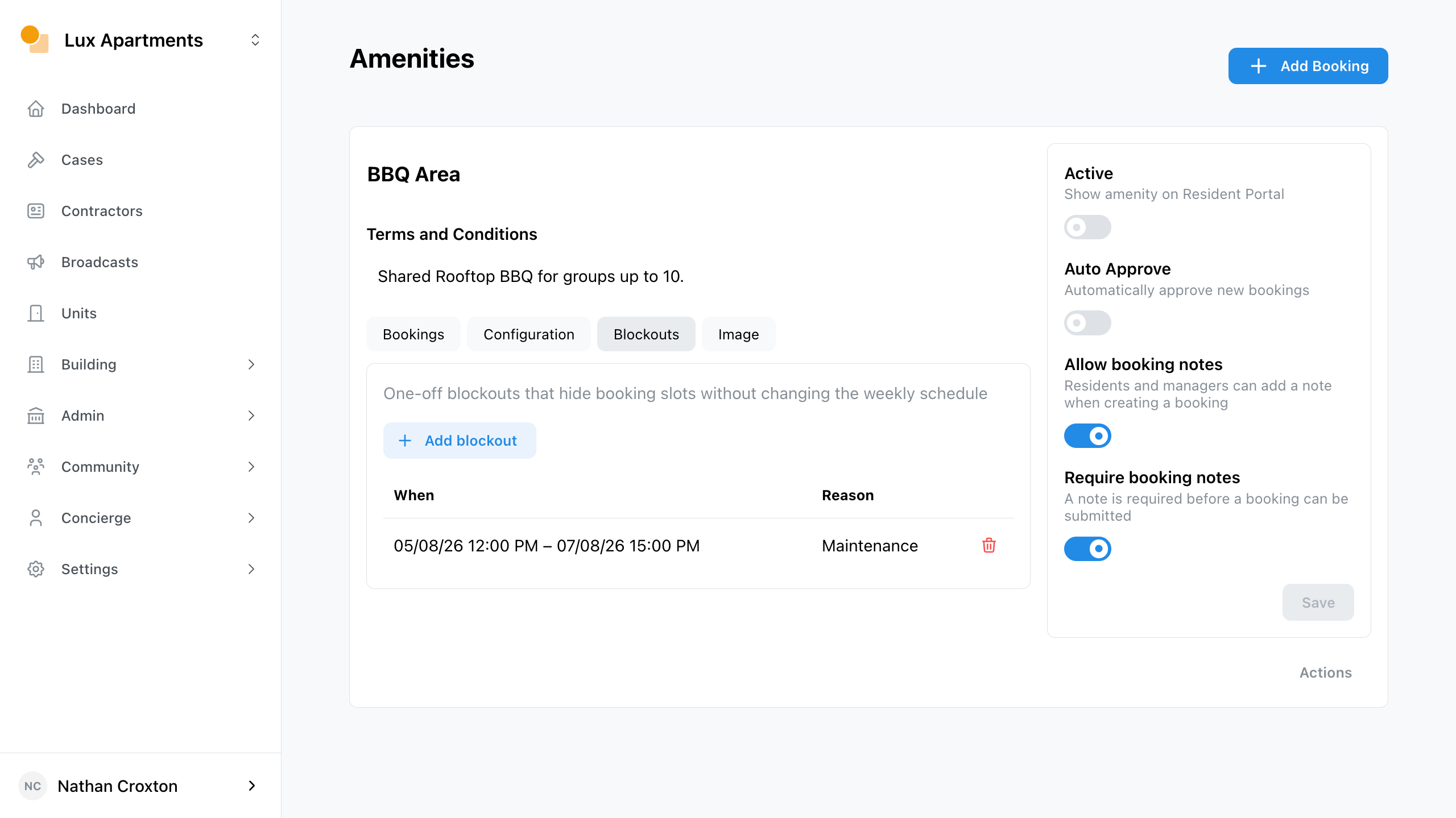
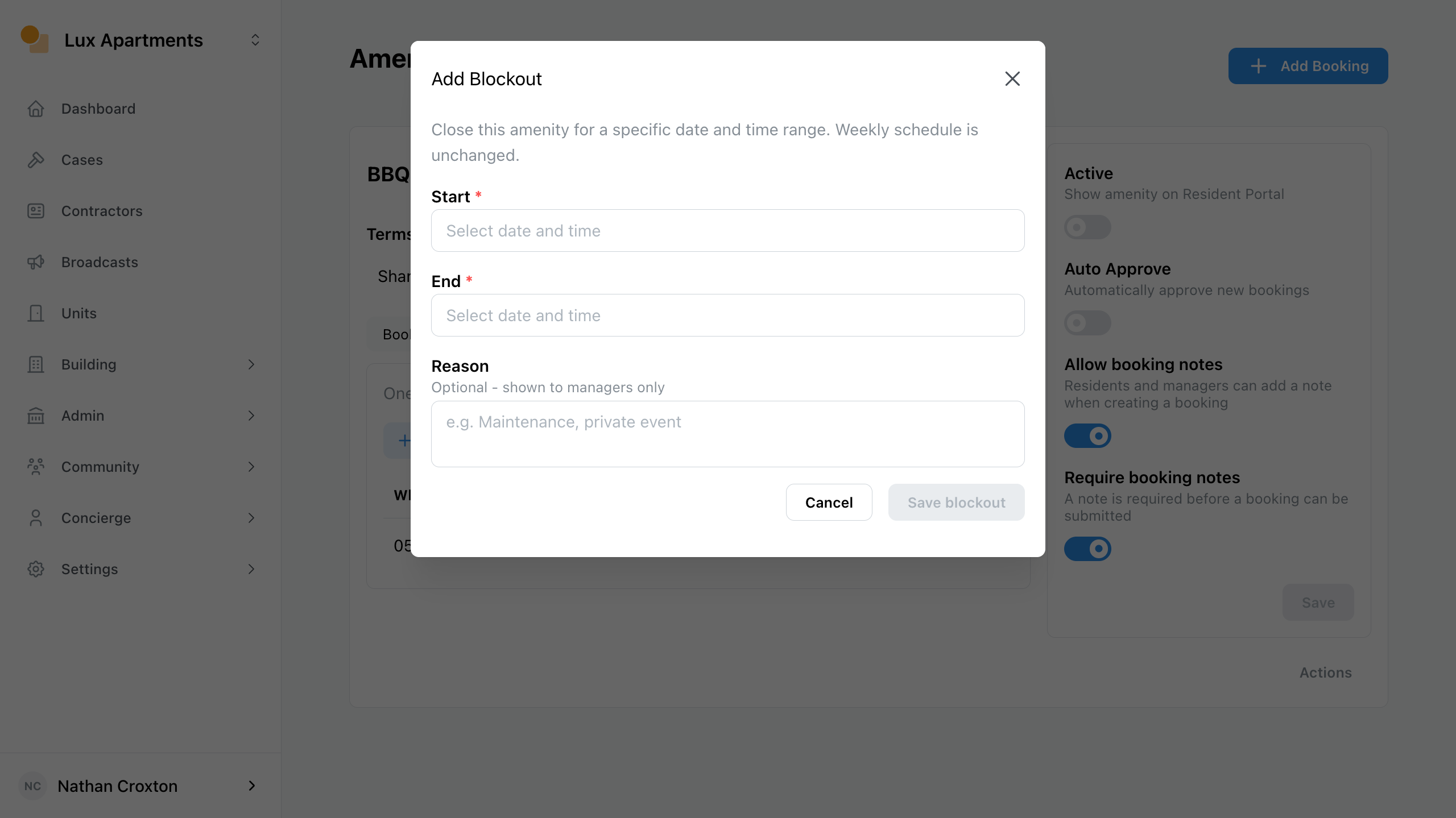
An amenity blockout will allow you to restrict amenity bookings for and date time range. This could allow you to carry out maintenance.
To block out an amenity’s availability, navigate to the Amenity page and view the Blockouts tab.
- Click Add blockout.
- Enter Start, End, and reason.
- Save.
Was this article helpful?
Thanks for letting us know.
Thanks, we'll use this to improve the article. Still stuck? Email support@onsite.fm and we'll help.