
Documents (Resident Portal)
Users can upload and share important documents with residents.
Example: building overview, guidelines, security policies, forms, etc.
1. Adding a Portal Document
Upload a document to share it with residents in the portal.
- From the left menu bar, select Community.
- Click Portal, and select Documents.
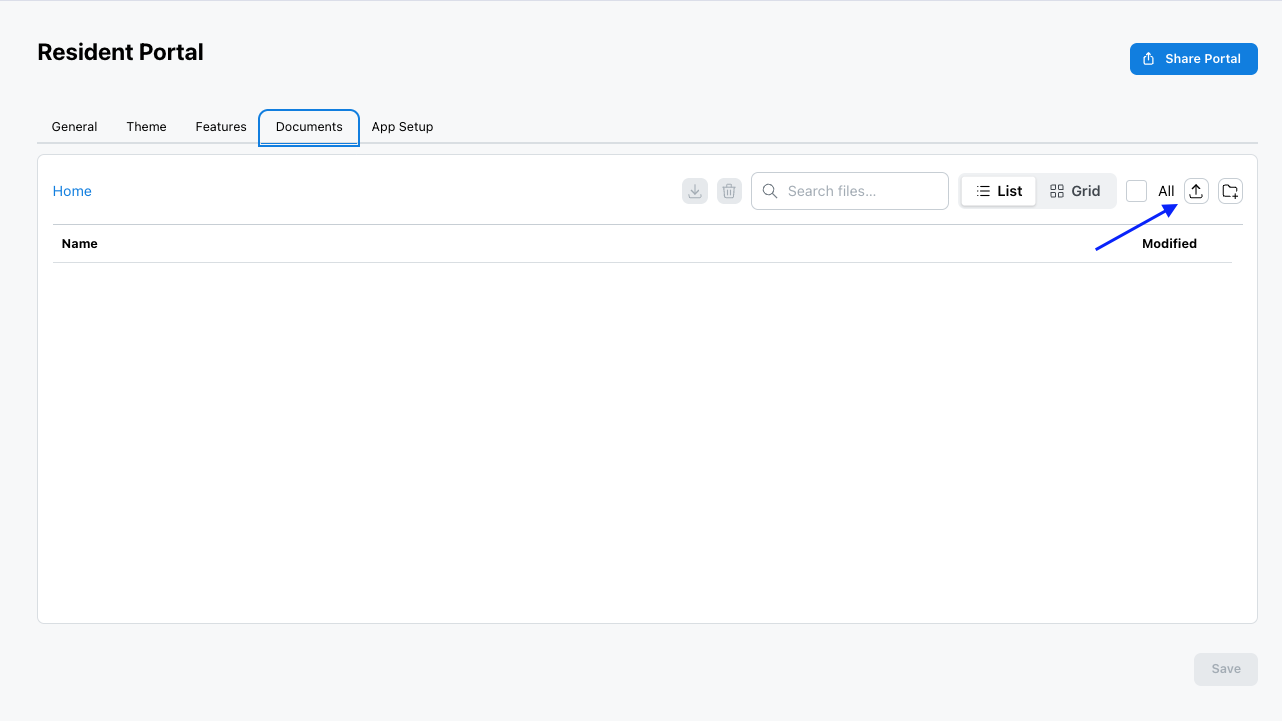
- Click the Upload button.
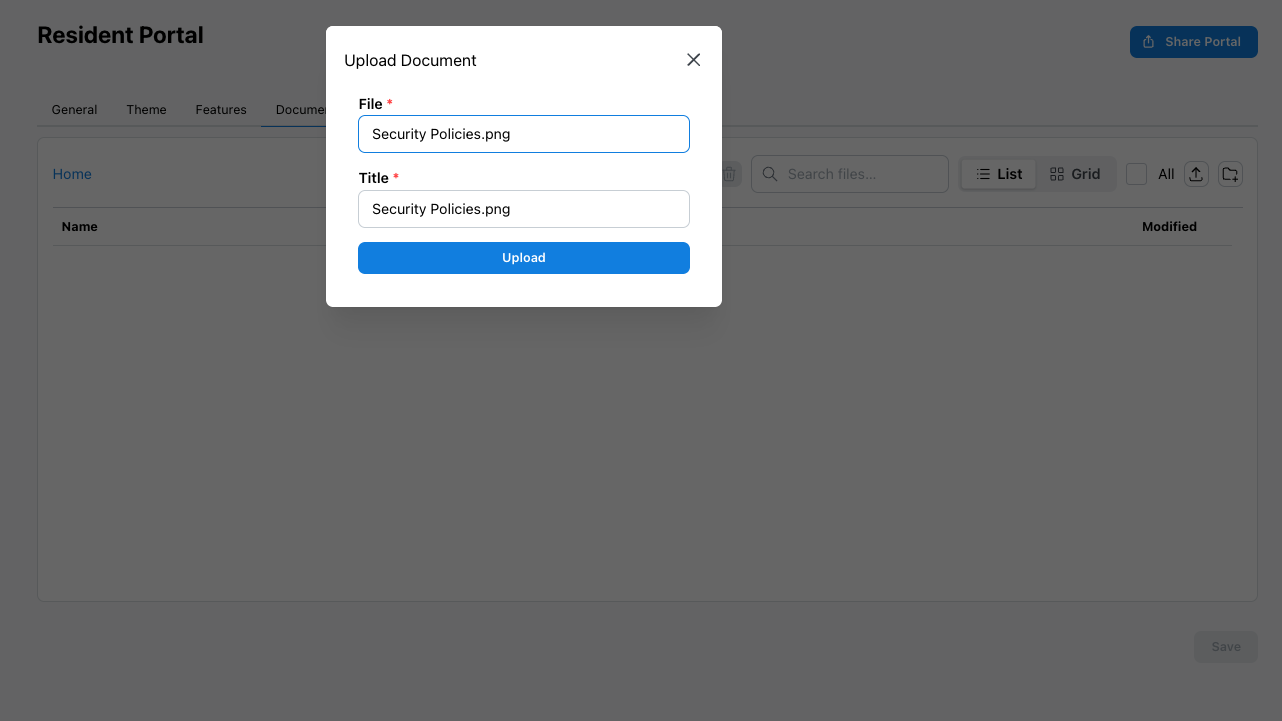
- Select the file to upload (the title defaults to the file name).
- Click Upload.
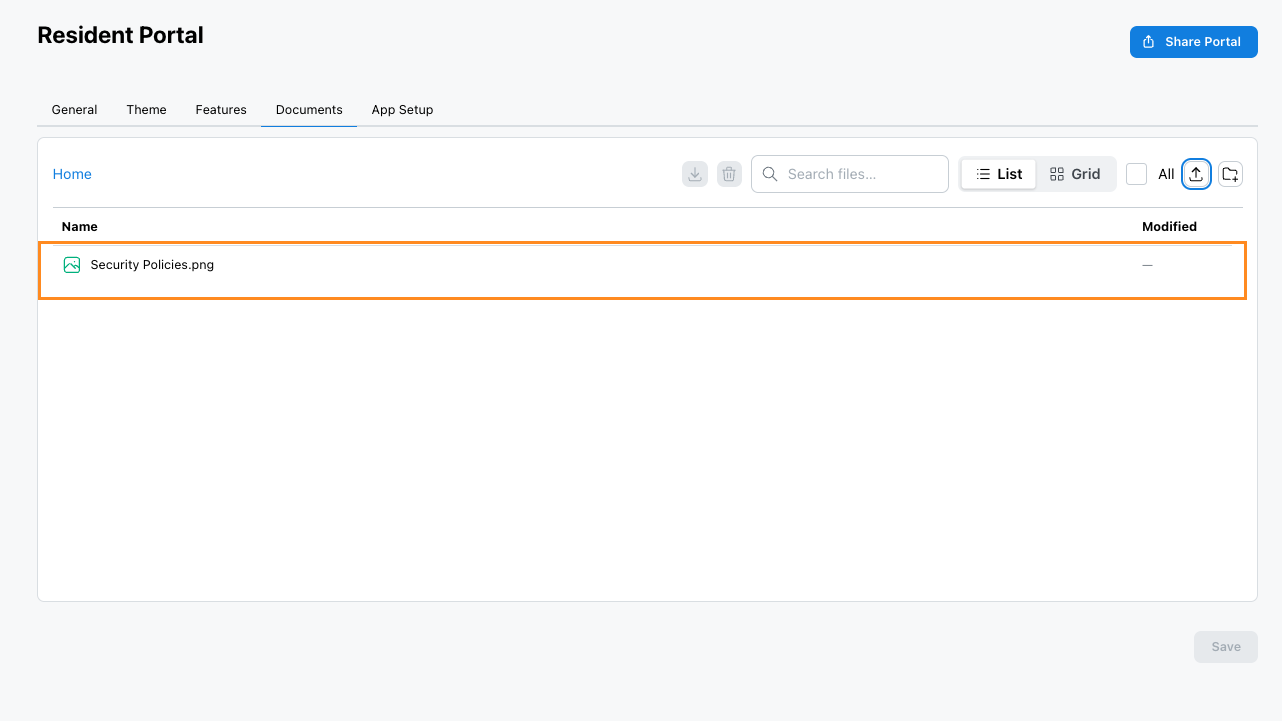
- The file is now uploaded.
2. Deleting a Portal Document
Remove a document you no longer want shared with residents.
- From the left menu bar, select Community.
- Click Portal, and select Documents.
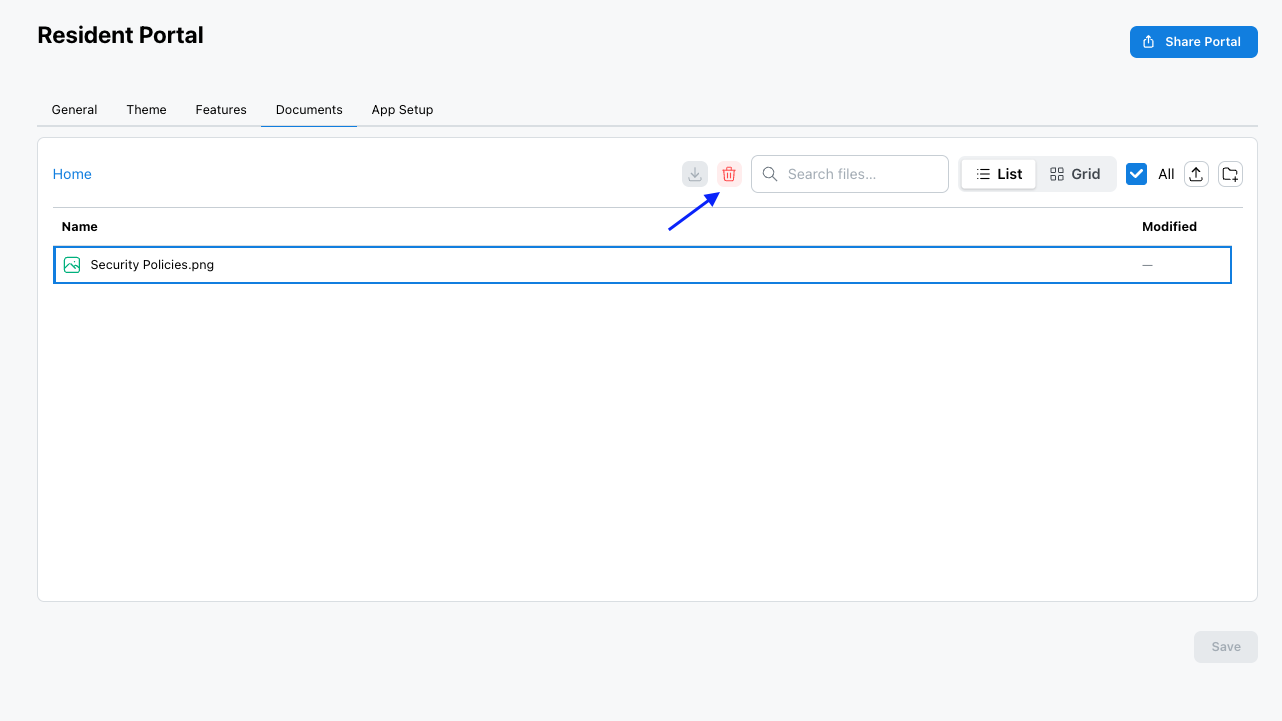
- Select the document to delete.
- Click the Delete button.