

Sending a Text Message
1 min read Updated
Sending a Text Message
To send a text message (SMS) broadcast to residents using Onsite, follow these steps:
CREATING THE SMS
- Navigate to the Broadcasts section in the sidebar
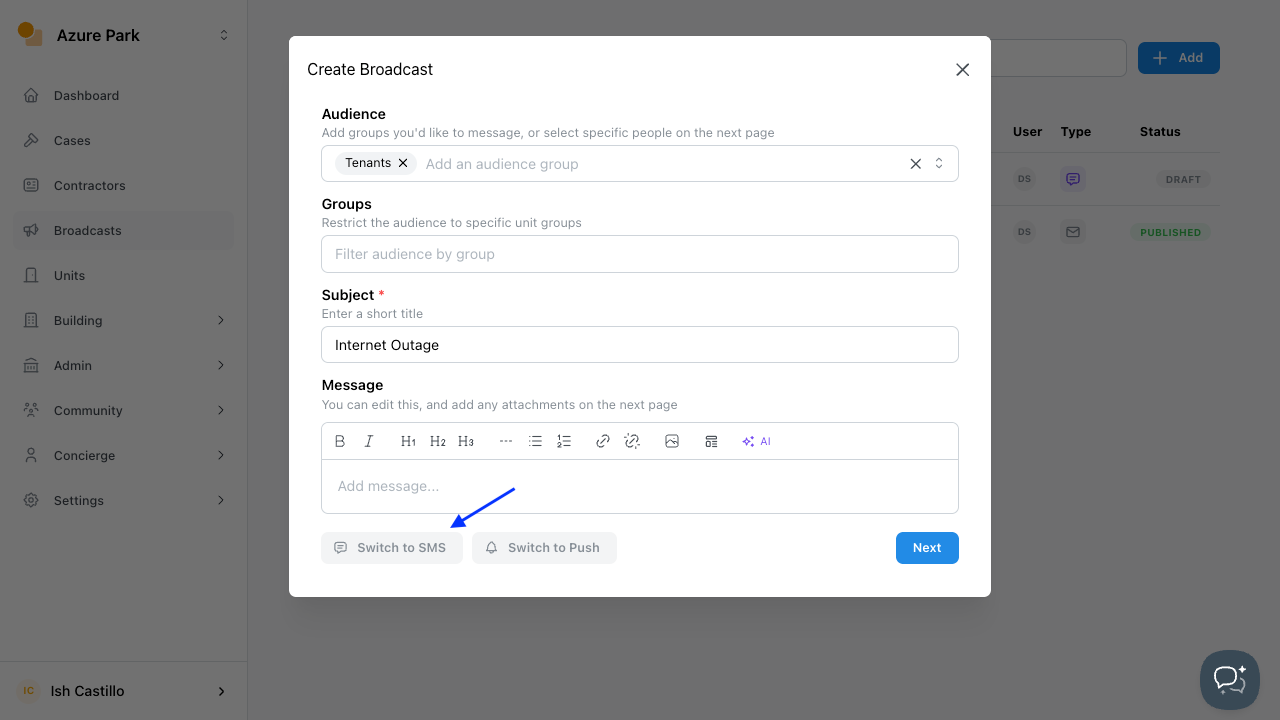
- Click Add to create a new broadcast.
- Under Audience, configure where the message will be sent.
- Enter a short title in the Subject field.
- Select Switch to SMS at the bottom of the dialog box.
- Click Next.
SENDING THE SMS
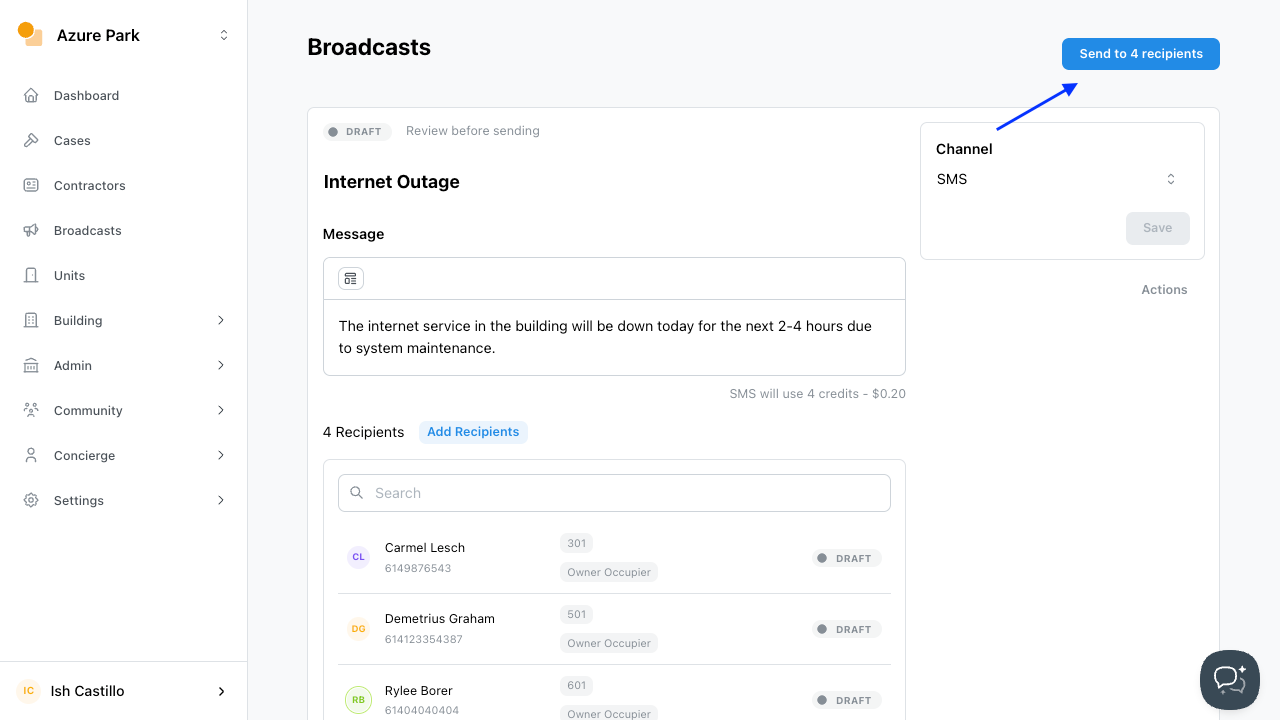
- Add the Message to be sent through SMS.
- Add or remove recipients as needed.
- If updates were added, click Save.
- Click Send to Recipient/s.
IMPORTANT NOTE:
ENSURE SUFFICIENT SMS CREDITS
- Navigate to Settings, then select Billing.
- Check Add Ons to ensure there are enough SMS credits
- Top up if needed (See Topping Up SMS Credit for guidelines)
Was this article helpful?
Thanks for letting us know.
Thanks, we'll use this to improve the article. Still stuck? Email support@onsite.fm and we'll help.