

Add Documents
1 min read Updated
Add Documents
How to Add Documents in the Onsite Platform
- Log in to your Onsite app.
- Navigate to Admin, then select Documents.
- Click the Upload icon.
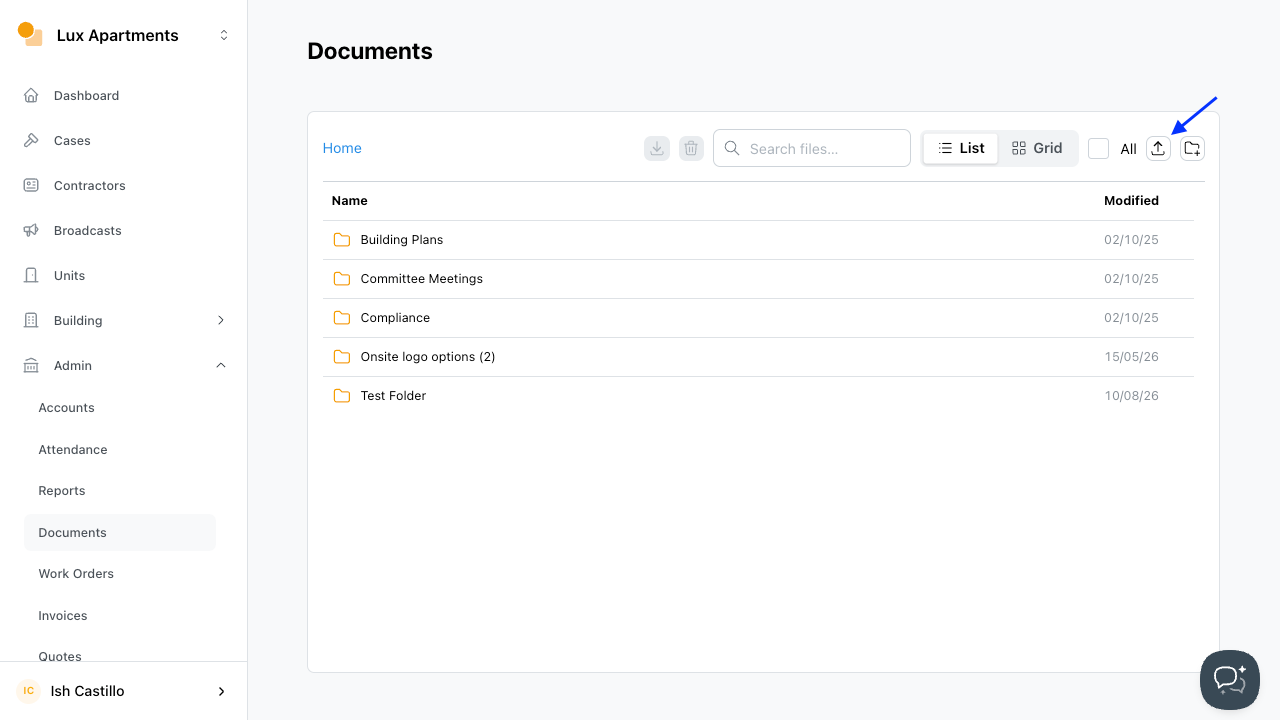
- Select the file and enter a title.
- Click Upload to submit your document.
Was this article helpful?
Thanks for letting us know.
Thanks, we'll use this to improve the article. Still stuck? Email support@onsite.fm and we'll help.